Why WooCommerce Development is the Key to Your eCommerce Success
Have you ever wondered what makes a successful online store tick? With eCommerce booming in both the USA and Pakistan, businesses are racing to launch user-friendly, secure, and scalable platforms. And the key to building that dream store? WooCommerce development.
Whether you’re a business owner or an aspiring developer, WooCommerce offers a robust framework for creating highly customizable and cost-effective online stores. But here’s the kicker: With all the technical jargon out there, how do you know if it’s the right solution for your business? The answer is simple – by understanding the core of WooCommerce development, you’ll uncover how to create the best online shopping experience, one that keeps your customers coming back.
In this comprehensive guide, you’ll learn everything from why WooCommerce is a top choice for eCommerce development to actionable steps on how to get started. Let’s dive into the world of WooCommerce development and transform your digital presence today!
What is WooCommerce Development and Why Should You Care?
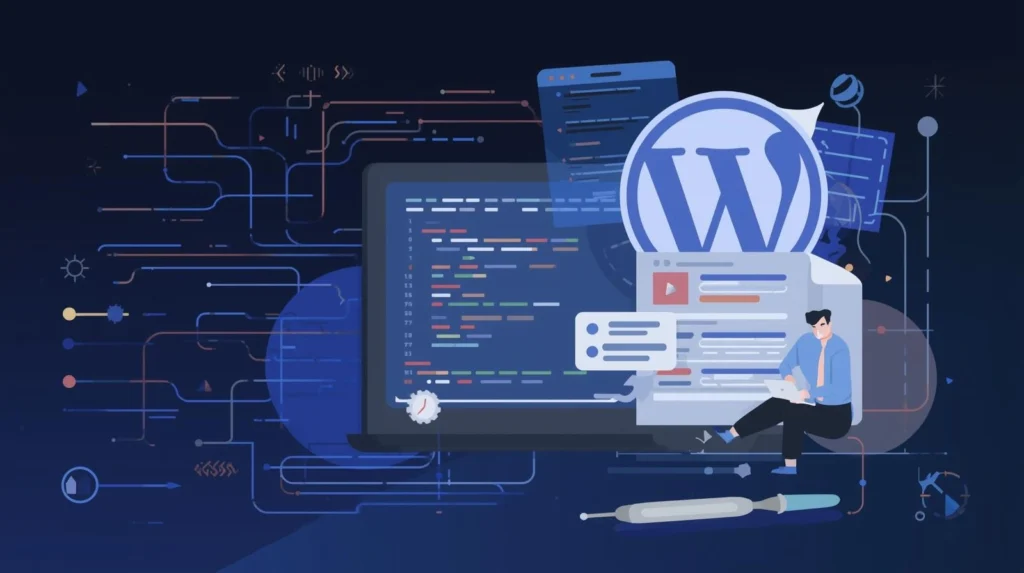
WooCommerce development refers to the process of building and customizing online stores using WooCommerce, a WordPress plugin. As an open-source platform, WooCommerce offers developers the flexibility to design eCommerce websites that meet unique business needs. Whether you’re selling physical products, digital goods, or subscriptions, WooCommerce can accommodate all types of online businesses.
Why WooCommerce?
- Cost-Effective: WooCommerce is free to use, making it an ideal choice for small and medium-sized businesses.
- Customization: With an open-source nature, WooCommerce allows developers to tailor the store according to specific requirements.
- Scalable: From small startups to large enterprises, WooCommerce can scale with your business growth.
- Easy to Use: WordPress, known for its user-friendly interface, makes WooCommerce easy to manage and integrate.
Pro Tip: If you’re just starting, consider hiring a WordPress web developer with WooCommerce expertise to get the most out of your store.
How Can WooCommerce Development Benefit Your eCommerce Business?
Building your eCommerce site with WooCommerce provides several advantages that extend beyond its customization capabilities. Here’s how it can benefit your business:
- Flexible Payment Options: WooCommerce supports numerous payment gateways, including PayPal, Stripe, and local payment options relevant to your target market.
- Inventory Management: You can easily track stock, manage product variations, and offer discounts, which can save time and resources.
- SEO-Friendly: With WooCommerce’s integration with WordPress, your store benefits from superior SEO features, driving more organic traffic to your site.
- Mobile-Responsive: WooCommerce themes are designed to be responsive, meaning they adapt seamlessly to mobile devices – crucial given the rise in mobile shopping.
Expert Insight: According to a report by Statista, over 54% of global online traffic comes from mobile devices. Therefore, ensuring that your WooCommerce store is mobile-friendly is no longer optional – it’s essential.
What Are the Core Features of WooCommerce Development?
When building your WooCommerce store, it’s crucial to understand its core features and how they contribute to the overall shopping experience. Here are some must-have features:
1. Product Management
WooCommerce allows you to manage an unlimited number of products, set up product variations (like size and color), and offer detailed product descriptions. This feature is vital for any eCommerce business.
2. Customizable Checkout Process
WooCommerce offers a customizable checkout process, allowing you to reduce cart abandonment rates and streamline the customer journey.
3. Built-in Analytics
WooCommerce includes built-in reporting tools that track sales, customer behavior, and more, helping you make informed decisions.
Pro Tip: Leverage WooCommerce analytics to continuously improve your site’s performance and sales.
How Does WooCommerce Compare to Other eCommerce Platforms?
When it comes to building an eCommerce store, you might wonder how WooCommerce stacks up against its competitors like Shopify or Magento. Let’s break it down:
| Feature | WooCommerce | Shopify | Magento |
| Ease of Use | Easy (via WordPress) | Very easy (self-contained) | Complex, requires developers |
| Customization | Highly customizable | Limited customization | Highly customizable |
| Cost | Free (but needs hosting) | Monthly subscription | Free (but expensive hosting) |
| Payment Gateways | Multiple options available | Limited (with add-ons) | Multiple options available |
| Scalability | Highly scalable | Moderately scalable | Highly scalable |
Conclusion: WooCommerce provides a great balance between ease of use and customization, making it an excellent choice for most businesses. However, if you need more out-of-the-box solutions and less technical setup, Shopify might be a better choice.
How to Choose the Right WooCommerce Developer for Your Business?
Finding the right eCommerce website developer is crucial for the success of your WooCommerce project. A good developer will not only ensure that your store is fully functional but will also make it secure, fast, and user-friendly.
Questions to Ask a WooCommerce Developer:
- Do you have experience with WooCommerce and WordPress web development?
- Can you provide examples of previous WooCommerce projects you’ve worked on?
- What web development services do you offer beyond building the store (maintenance, SEO, support)?
- Do you offer ongoing website management services after the store is live?
Pro Tip: A professional WooCommerce developer should be able to integrate your store with third-party tools and ensure that it’s optimized for performance.
What Are the Key Challenges in WooCommerce Development?
While WooCommerce offers numerous benefits, there are challenges to keep in mind:
- Security Risks: As an open-source platform, WooCommerce can be vulnerable to hacking if not maintained properly. Ensure that you implement SSL certificates, regular backups, and security plugins.
- Compatibility Issues: As you add more plugins or switch themes, compatibility issues may arise. Always test updates on a staging site before going live.
Actionable Tip: Regularly update your WooCommerce and WordPress installations, themes, and plugins to protect against security vulnerabilities.
What Are Some WooCommerce Development Best Practices?
To make your WooCommerce store successful, here are some best practices to follow:
1. Optimize Site Speed
Site speed affects both user experience and SEO rankings. Use caching plugins, compress images, and choose a reliable hosting provider.
2. Focus on UX/UI
Your store’s design should be user-friendly. A clean, intuitive layout with easy navigation will keep customers coming back.
3. Implement Robust SEO Strategies
Use SEO-friendly themes, optimize product pages, and leverage tools like Yoast SEO to improve search engine rankings.
4. Offer Customer Support
Providing live chat support and clear FAQs can enhance the shopping experience, reducing friction at the checkout.
Conclusion: Getting Started with WooCommerce Development
By now, you should have a solid understanding of what WooCommerce development involves and how it can help transform your eCommerce business. From its flexibility and customization options to its cost-effectiveness, WooCommerce is a top contender for building scalable online stores.
Next Steps: Whether you’re ready to develop your store or still need help deciding, the first step is to hire the right WooCommerce expert who can guide you through the process. Start by evaluating developers with experience in both WordPress and WooCommerce to ensure your store is set up for success.
FAQs
1. What is WooCommerce and how does it work?
WooCommerce is a WordPress plugin that allows you to create an eCommerce store. It enables you to sell products online, manage inventory, process payments, and more.
2. Do I need coding knowledge to use WooCommerce?
No, WooCommerce is beginner-friendly and doesn’t require coding knowledge. However, to customize your store extensively, knowledge of web development may be beneficial.
3. Can WooCommerce handle large-scale businesses?
Yes, WooCommerce can scale with your business. With proper hosting and optimization, it can support businesses of all sizes.
4. How much does WooCommerce development cost?
The cost of WooCommerce development varies depending on the complexity of the store, the developer’s rates, and any additional features you require.
5. What are the most common issues with WooCommerce?
Some common issues include security vulnerabilities, compatibility problems with plugins, and performance issues. Regular updates and optimization can resolve many of these problems.
6. Can WooCommerce integrate with other software?
Yes, WooCommerce supports integration with various third-party software, including payment gateways, accounting tools, and CRM systems.
7. What’s the difference between WooCommerce and Shopify?
WooCommerce is open-source and highly customizable, while Shopify is a hosted platform with fewer customization options but a more streamlined setup process.