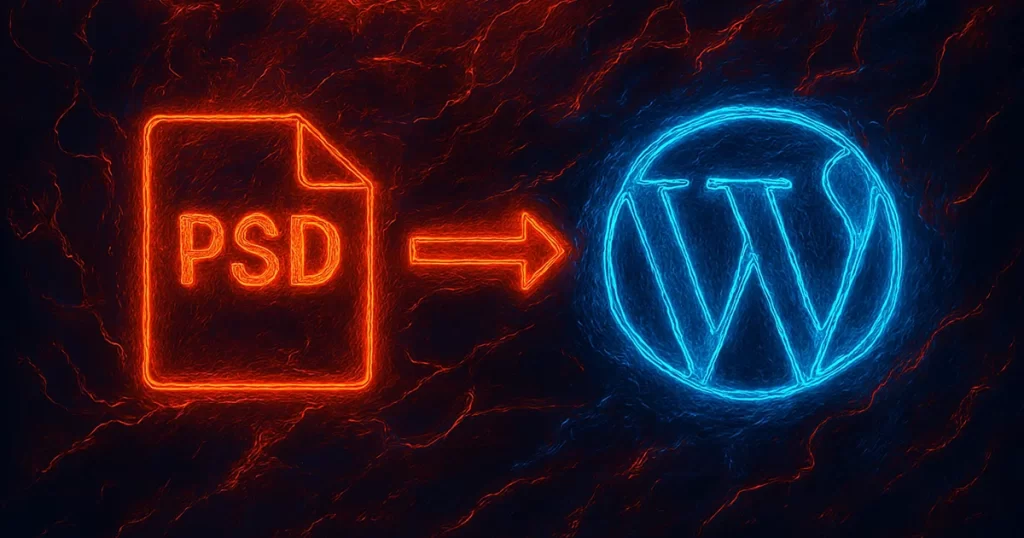
Have you ever wondered how to turn a stunning Photoshop design (PSD) into a fully functional WordPress website? You’re not alone. Whether you’re a business owner, designer, or developer, you’ve probably encountered the challenge of transforming a visually appealing design into a responsive, interactive website. But there’s good news: PSD to WordPress conversion is a highly effective solution that offers several advantages for businesses looking to create custom, scalable websites.
What you’ll learn in this article is not just how to convert a PSD to WordPress, but also why it’s one of the best ways to elevate your website’s performance, design, and SEO. By understanding the benefits and best practices of PSD to WordPress conversion, you can create a website that performs well, looks fantastic, and serves your business’s needs perfectly.
1. Why Should You Convert PSD to WordPress?
You might ask, “Why go through the hassle of converting a PSD design into WordPress when there are easier options?” The answer lies in flexibility, customization, and performance.
The Benefits of PSD to WordPress Conversion:
- Pixel-perfect design: With PSD to WordPress conversion, you get an exact match of your design as envisioned in Photoshop. Every button, image, and layout remains true to the original.
- Fully responsive websites: You can ensure your website is fully optimized for mobile and tablet users, which is a necessity given that over 50% of web traffic comes from mobile devices (Source: Statista).
- Customizability: Unlike premade themes, converting PSD files gives you complete control over the structure, features, and design of your site, which is ideal for creating a unique online presence.
Real-World Example: A local business wanted a custom website that stood out from its competitors. Using PSD to WordPress, they were able to bring their design vision to life while ensuring the site was responsive and fast, improving both user engagement and SEO performance.
2. How Does the PSD to WordPress Conversion Process Work?
The conversion process involves several steps, each crucial for turning your design into a fully functional WordPress site. Let’s break down the stages:
Step-by-Step Process:
- Prepare the PSD Files: Ensure that the design is clean and organized. Layers should be properly labeled for easy navigation during conversion.
- Slice the PSD File: The design needs to be sliced into individual image elements (buttons, backgrounds, icons, etc.).
- Convert to HTML/CSS: This step involves writing clean and efficient HTML/CSS code based on the PSD design.
- Integrate with WordPress: The HTML/CSS files are then integrated into WordPress using the platform’s theme structure.
- Add Functionalities: This is where the magic happens. You can add dynamic features like custom post types, contact forms, sliders, and more, through plugins or custom code.
- Testing & Debugging: Testing ensures your website looks and functions well across different browsers and devices.
Pro Tip: If you’re working with multiple designers or stakeholders, using version control software like GitHub can help streamline collaboration and ensure no design or functionality is lost during the conversion.
3. What Are the Best Practices for PSD to WordPress Conversion?
Following best practices ensures a smoother and more efficient conversion process. It helps avoid common pitfalls like broken links, unresponsive design, or slow page loading times.
Key Best Practices:
- Optimize Images: Ensure that images are optimized for the web without compromising on quality. Use tools like Photoshop’s “Save for Web” feature or plugins like WP Smush to compress image sizes.
- Clean Code: Writing clean, semantic HTML and CSS not only improves website speed but also helps with SEO. Avoid unnecessary code that might bloat the site.
- Responsive Design: Your PSD should be designed with mobile-first principles in mind. Ensure your CSS includes media queries to cater to different screen sizes.
- SEO-Friendly: Utilize SEO best practices by implementing proper heading tags, alt attributes for images, and clean URL structures. Tools like Yoast SEO can be useful here.
- Cross-Browser Compatibility: Test your site on different browsers to ensure it functions and displays as expected.
Expert Insight: A well-optimized PSD to WordPress conversion leads to faster page load times. Studies show that a 1-second delay in page load time can result in 11% fewer page views and a 7% reduction in conversions (Source: Kissmetrics).
4. How Does PSD to WordPress Conversion Impact SEO?
Many business owners don’t realize how crucial the design-to-code process is for SEO. A well-executed PSD to WordPress conversion not only improves user experience but also strengthens SEO performance.
SEO Advantages:
- Faster Load Times: Optimized images and clean code translate to faster load times, which is a critical ranking factor for search engines like Google.
- Mobile Optimization: With mobile-friendliness becoming a ranking factor, ensuring your WordPress site is responsive is key to improving your SEO score.
- Customizable Metadata: You can add custom metadata for each page, making it easier for search engines to crawl and index your content effectively.
Case Study: After migrating from a template-based WordPress theme to a custom-designed PSD-to-WordPress theme, a fashion retailer experienced a 20% increase in organic traffic and a 15% rise in conversions thanks to better mobile optimization and faster load times.
5. What Are the Common Challenges in PSD to WordPress Conversion?
While PSD to WordPress conversion offers many benefits, it also presents challenges that need to be addressed for a successful migration.
Challenges & Solutions:
- Complex Design Elements: Some PSD designs may include complex elements like custom animations or advanced interactivity. These can be difficult to implement but can be achieved through custom JavaScript or specialized plugins.
- Cross-Browser Compatibility: Ensuring your design appears correctly on every browser is essential. Testing with tools like BrowserStack can help catch issues before launch.
- Maintaining Design Integrity: It’s easy for design elements to get lost in translation. To mitigate this, work closely with developers and ensure that they understand the vision of the design.
Pro Tip: Always use a staging site for testing and troubleshooting before going live with your converted website. This helps you catch and fix issues without affecting the live site.
6. How to Choose the Right Developer for PSD to WordPress Conversion?
Not every developer can handle the intricacies of PSD to WordPress conversion. To ensure a seamless process, here are some tips on choosing the right professional for the job.
What to Look For:
- Experience with Custom Themes: Look for developers who have experience in custom theme development and PSD slicing.
- Attention to Detail: They should be able to follow the design exactly, including fonts, margins, padding, and colors.
- Knowledge of Best Practices: Ensure they are familiar with SEO, responsive design, and cross-browser compatibility.
Real-World Example: A non-profit organization hired a developer with extensive PSD-to-WordPress experience and saw a 30% increase in engagement and a 10% rise in donations thanks to the site’s improved design and functionality.
Conclusion
Converting a PSD to WordPress is a fantastic way to achieve a fully customized, responsive, and SEO-friendly website. By following best practices and ensuring clean, optimized code, you can create a visually stunning website that meets all your business goals. While the process might seem daunting at first, the benefits—better design flexibility, SEO performance, and user experience—make it a worthwhile investment.
Ready to take your website to the next level? Start by working with a professional developer to bring your PSD design to life on WordPress. With the right expertise, you’ll have a powerful site that stands out from the competition.
FAQ Section
- Can I convert a complex PSD design to WordPress?
Yes, but it may require advanced coding and extra customization. Ensure your developer has experience with intricate designs and custom features. - How long does it take to convert a PSD to WordPress?
The time varies depending on the complexity of the design. A simple PSD can take a few days, while more intricate designs might take several weeks. - Is PSD to WordPress conversion SEO-friendly?
Yes, if done correctly. Optimizing images, using clean code, and ensuring responsive design are key SEO practices during the conversion. - Can I use plugins in the converted WordPress site?
Absolutely. You can integrate any plugin that works with WordPress, including SEO tools, social media integrations, and contact forms. - Do I need to update my PSD design after conversion?
Not unless you want to make significant changes. However, regular updates are essential to keep the website aligned with current trends and technologies. - What is the cost of PSD to WordPress conversion?
Costs vary depending on the complexity of the design and the developer’s rates. Simple conversions may cost less, while complex, custom solutions can be more expensive. - Can I do PSD to WordPress conversion myself?
While it’s possible if you have development skills, working with a professional developer ensures better results, especially for more complex designs.