Have you ever found yourself wondering whether WordPress is still the best platform for building your business website? You’re not alone. As new technologies emerge and new platforms promise superior functionality, it’s easy to question if WordPress can still meet the demands of today’s fast-paced digital landscape.
But here’s the thing: despite the rise of competitors, WordPress continues to reign as the leading platform for businesses in 2026, and for good reason. Whether you’re a startup, a growing company, or an established brand, WordPress offers unparalleled flexibility, scalability, and support that businesses of all sizes need.
In this post, we’ll dive into why WordPress remains the top choice for business websites, how it can help you overcome common digital challenges, and why it’s the go-to solution for long-term growth.
1. Why Is WordPress Still the Leading Website Platform in 2026?
In 2026, WordPress powers over 43% of the internet, a staggering figure that’s only grown since its inception in 2003. But what’s driving this longevity, and why is it still the best choice for businesses today?
WordPress is an open-source platform, meaning it’s free to use, easy to customize, and highly flexible. These characteristics make it an appealing choice for businesses looking for an affordable, scalable, and easy-to-manage website. Moreover, as the digital landscape continues to evolve, WordPress has adapted to meet the needs of modern businesses by adding features like enhanced security, mobile optimization, and SEO tools.
Pro Tip: The fact that WordPress powers both small blogs and enterprise-level sites is a testament to its versatility. From startups to Fortune 500 companies, WordPress remains a favorite choice for a reason: it grows with you.
2. Is WordPress Easy to Use for Non-Tech Savvy Users?
Absolutely. One of the primary reasons WordPress remains so popular is its user-friendly interface. Whether you’re a small business owner with limited technical skills or a marketing manager trying to keep your website up-to-date, WordPress makes it easy to create and manage your site without needing to write code.
The intuitive dashboard lets users add posts, pages, and media with just a few clicks. Additionally, the platform comes with a range of plugins and themes, allowing you to enhance the functionality and aesthetics of your website without relying on a developer.
Real-World Example: A local bakery used WordPress to launch their website and manage their online ordering system. With just a few hours of training, their team was able to update the menu, add new products, and keep the site running smoothly—no technical expertise needed.
3. How Does WordPress Help With SEO in 2026?
WordPress has always been known for its SEO-friendly architecture, but with new developments in 2026, it has become even more powerful in this regard. With built-in features like clean permalink structures, mobile optimization, and a variety of SEO plugins (such as Yoast SEO), WordPress helps businesses rank higher in search engines.
In fact, WordPress automatically generates XML sitemaps, making it easier for search engines to index your site. Additionally, the platform’s integration with popular SEO plugins gives users an easy way to optimize content, titles, and meta descriptions.
Pro Tip: Consistent content updates are key for SEO. WordPress’s user-friendly editor allows you to create new blog posts, product pages, and resources that help improve your site’s search engine rankings.
4. Can WordPress Handle E-Commerce Businesses in 2026?
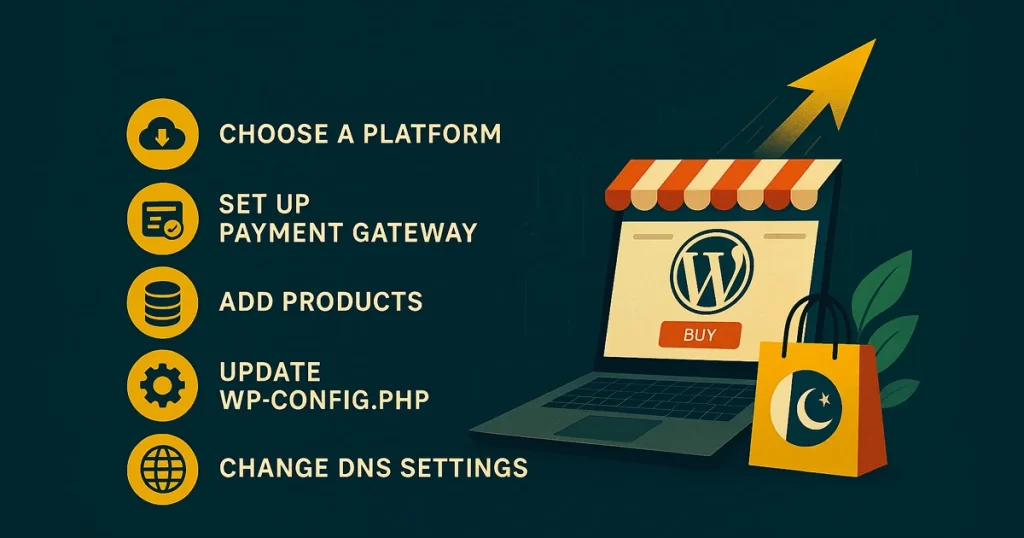
Yes, WordPress is more than just a blogging platform—it’s a fully capable e-commerce solution. With plugins like WooCommerce, WordPress has become one of the most popular platforms for online stores. In fact, WooCommerce powers over 30% of all online stores globally.
The versatility of WordPress, combined with WooCommerce’s comprehensive e-commerce features, allows businesses to sell products, manage inventory, process payments, and track orders with ease. Plus, with numerous third-party integrations, you can enhance your store’s functionality with features like advanced product filtering, subscription services, and personalized shopping experiences.
Real-World Example: A clothing brand saw a 40% increase in sales within six months after migrating to WordPress and WooCommerce. The customization options allowed them to create a unique shopping experience tailored to their customers’ needs.
5. How Does WordPress Support Mobile Optimization in 2026?
As of 2026, mobile optimization is no longer a luxury—it’s a necessity. WordPress understands this shift, which is why it ensures that all themes are mobile-responsive. In fact, over 60% of website traffic now comes from mobile devices, and WordPress makes it easy to cater to this growing demand.
With the latest WordPress themes, businesses can provide a seamless browsing experience for users on smartphones, tablets, and desktops. This ensures that customers have a positive interaction with your brand no matter how they access your site.
Pro Tip: Always test your website’s mobile responsiveness. Many premium WordPress themes automatically adapt to different screen sizes, but it’s crucial to check the user experience on mobile before going live.
6. Does WordPress Offer Security Features to Protect My Business?
Yes, security is a top priority for WordPress in 2026. As cyber threats become more sophisticated, WordPress has implemented robust security features to protect your website and customer data. From secure login systems to automatic updates and the integration of SSL certificates, WordPress ensures that your site is protected against potential vulnerabilities.
Additionally, there are many plugins available that provide enhanced security measures, including firewalls, malware scanners, and two-factor authentication (2FA).
Real-World Example: A financial consulting firm saw a significant reduction in hacking attempts after implementing several security plugins on their WordPress site. Their client’s sensitive data remained protected, helping build trust with their user base.
7. What Makes WordPress Cost-Effective for Businesses in 2026?
In an age where every dollar counts, WordPress stands out as an incredibly cost-effective option for businesses. Unlike proprietary platforms that require costly licenses, WordPress is free to use, with the only costs being related to hosting, premium themes, and plugins. This low-cost entry point makes it an ideal choice for businesses on a budget.
Furthermore, WordPress’s scalability allows businesses to grow without being constrained by expensive fees. Whether you need to expand your e-commerce store or integrate new functionality, WordPress gives you the flexibility to do so without needing to overhaul your entire website.
Pro Tip: Always choose a reliable hosting provider to ensure the performance of your WordPress website. Good hosting is an investment that will pay off in terms of speed and uptime.
Conclusion:
In conclusion, WordPress is still the best choice for businesses in 2026 because of its versatility, ease of use, scalability, and cost-effectiveness. Whether you’re building a blog, an e-commerce store, or a corporate site, WordPress offers the tools and flexibility you need to succeed in a competitive online marketplace.
If you haven’t yet switched to WordPress or if you’re considering an upgrade, now is the perfect time. Don’t let outdated technologies hold you back. Take advantage of the power, flexibility, and support WordPress offers and propel your business to new heights.
Ready to start your WordPress journey? Contact us today to learn how we can help you build a website that works for your business.
FAQ Section:
- Is WordPress still free to use in 2026?
Yes, WordPress remains free to use. However, you may incur costs for hosting, premium themes, or specific plugins that add advanced features to your site. - Can I easily update my website on WordPress without technical knowledge?
Absolutely. WordPress is designed for ease of use, allowing anyone to update pages, posts, and products without needing coding knowledge. - How long does it take to build a WordPress website?
The time it takes depends on your requirements. A basic site can be built in a few days, while more complex sites (like e-commerce stores) may take a few weeks. - Can WordPress handle high-traffic websites?
Yes, WordPress can handle high-traffic websites when paired with the right hosting solutions. Ensure you choose a scalable hosting provider to accommodate traffic spikes. - Does WordPress support multilingual websites?
Yes, WordPress has various plugins like WPML that allow you to create multilingual websites, making it easy to reach a global audience. - What are the main advantages of WordPress over other website builders?
WordPress offers greater flexibility, customization, and scalability compared to other website builders. It’s suitable for businesses of all sizes and provides extensive plugin support. - How can I make my WordPress site more secure?
You can enhance security by using strong passwords, enabling SSL certificates, installing security plugins, and keeping your WordPress site updated with the latest security patches.