
SMS Gateway
Transform Your Mobile into a Powerful SMS Gateway
Unlock the full potential of your Android device by converting it into a robust SMS and MMS gateway. With MessageXpress, you can send messages seamlessly, even when local carriers impose strict limits.

Self-Hosted
SMS/MMS Gateway
Host your own SMS and MMS gateway on your own server with MessageXpress. Easily integrate it into your applications via our developer-oriented API (C#, PHP, and more). All messages sent via the API are securely kept on your server with real-time delivery status monitoring. Increase your communication by adding images to your messages while still having full control over your messaging infrastructure.
Self Operated
SMS/MMS Provider
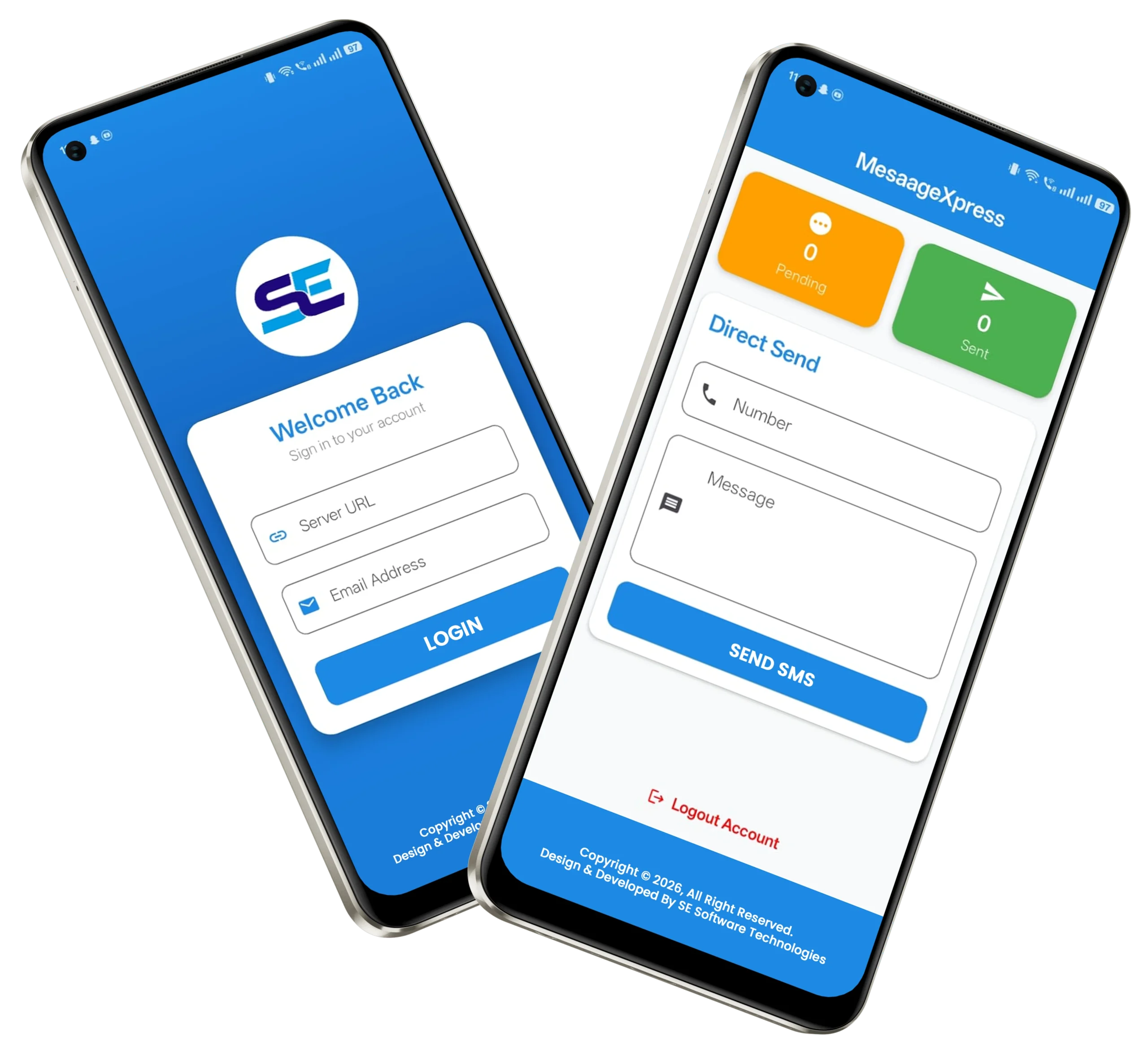
With this solution, your Android phone acts as a dedicated SMS/MMS provider through the SMS Gateway mobile application. Instead of depending on third-party messaging platforms, your own device will perform the sending operations directly and automatically.
How It Works:
- When you send an SMS or MMS, the message is first stored securely on your server.
- The stored message is then forwarded to the SMS Gateway application installed on your Android phone.
- The application automatically processes the request and delivers the message to the recipient.
By using your Android phone as the sending gateway, you gain a self-sufficient, scalable, and secure messaging system tailored to your requirements.

Excel Compatible
Use Excel Files to Send SMS/MMS
Our system also supports sending bulk SMS/MMS directly from Excel or similar file formats, making it easy to manage large-scale messaging campaigns.
Supported File Formats:
- .xlsx (Excel Workbook)
- .xls (Legacy Excel Format)
- .ods (OpenDocument Spreadsheet)
- .csv (Comma-Separated Values)
Receive Messages
Reply to Messages Automatically
Every SMS received on your Android device is instantly synchronized with your SMS Gateway Admin Panel, giving you complete visibility and control. This feature enables you to set up smart auto-responses, integrate your own scripts, and even forward messages to email for seamless communication.
Key Features:
- 📩 Centralized Inbox – All incoming SMS messages are displayed in the Admin Panel for easy management.
- 🔄 Auto-Responses – Configure automatic replies to specific messages or keywords, ensuring quick and consistent communication.
- ⚙️ Custom Script Integration – Attach your own scripts to respond dynamically or to trigger additional actions (e.g., updating a database, sending notifications, or executing commands).
- 📧 Email Forwarding – Receive SMS directly in your email inbox for faster accessibility and better tracking.
- 🚀 Smart Automation – Reduce manual effort by setting rules that handle responses and actions automatically.

Manage users
Add New Users
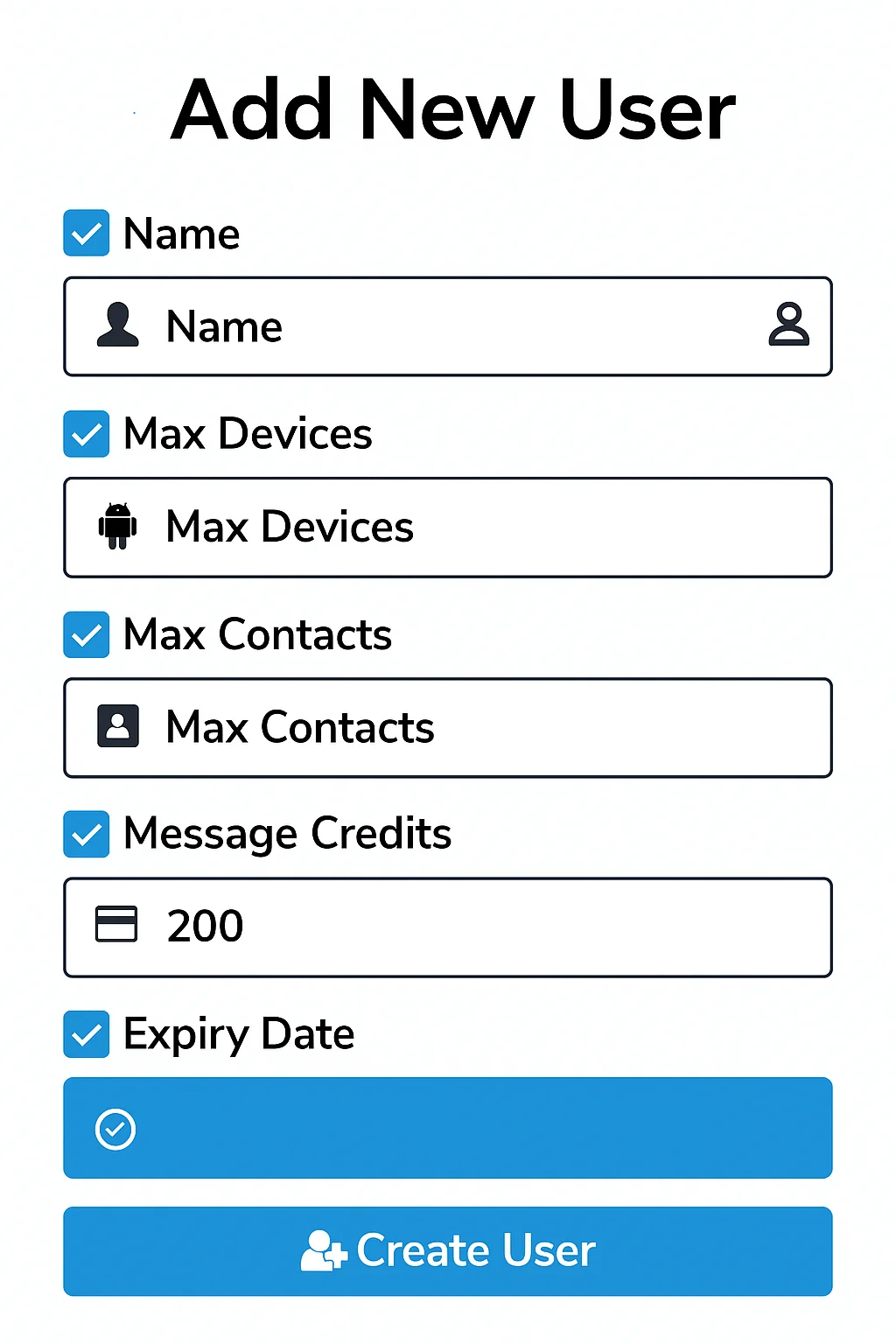
The SMS Gateway allows you to easily create and manage multiple users, enabling them to use their own Android devices as SMS/MMS gateways. This feature provides flexibility for teams, businesses, and service providers to scale their messaging capabilities while maintaining full administrative control.
How It Works:
- Admins can create new user accounts within the system.
- Each user can install the SMS Gateway Android application on their device to start sending messages.
- As the admin, you retain complete visibility over all messages sent by users.
User Management Options:
- 📱 Device Limitations – Restrict how many Android devices a user can connect with their account.
- ✉️ Message Limits – Control how many SMS/MMS a user can send within a given timeframe.
- 👥 Contact Limits – Set restrictions on how many contacts a user can store in the system.
- 💳 Monetization – Optionally charge users for sending messages through your server, creating a revenue stream.
Multiple Devices
Multiple Devices per Account
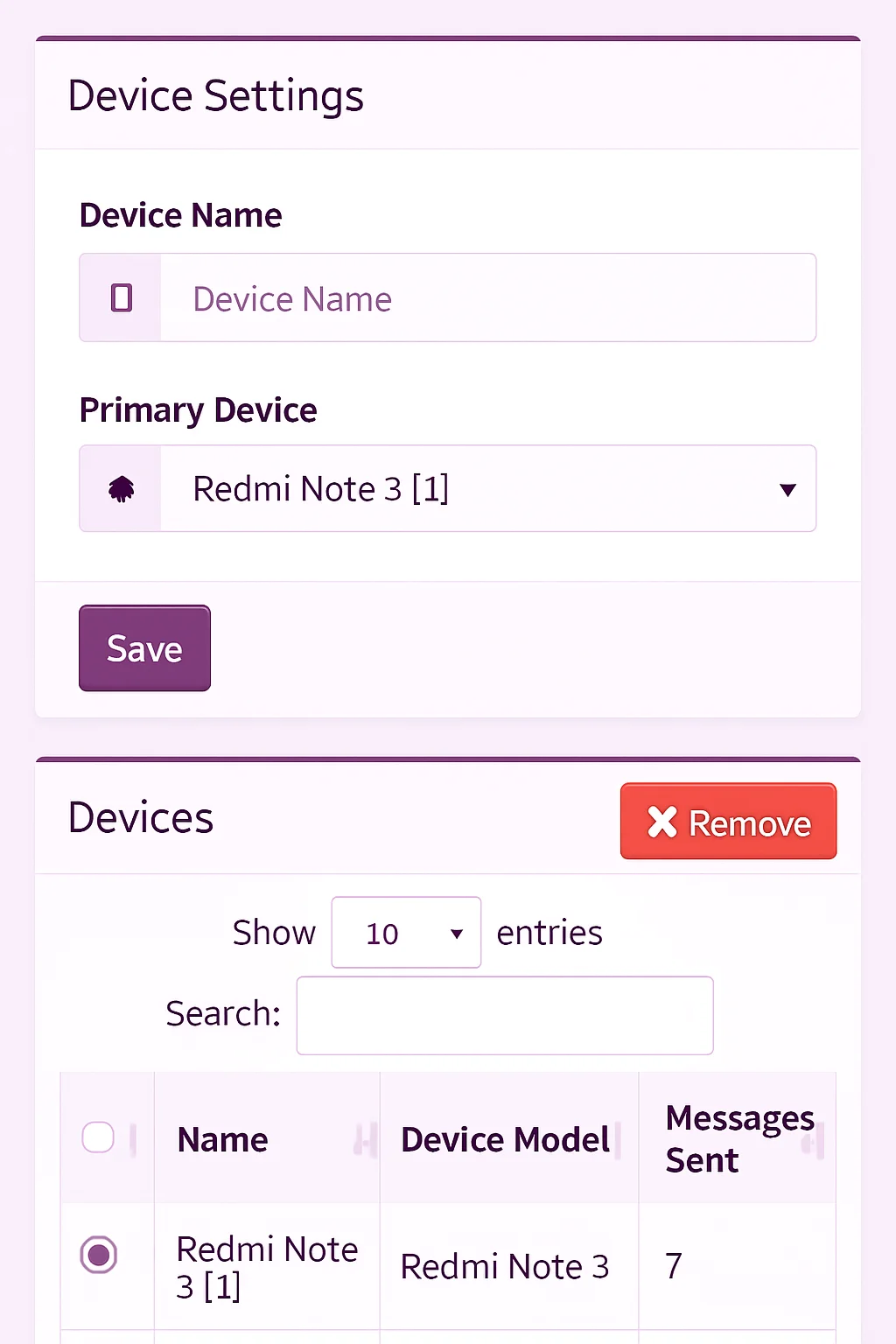
Each user account can be connected to multiple devices. If a device supports dual or multiple SIMs, messages can be sent from any SIM through the API or web panel. This functionality enables bulk messaging using several devices and SIMs simultaneously. When all devices are selected for sending, the system intelligently distributes messages across them, ensuring faster and more efficient delivery.
Supports contacts list
Send Messages to Contact Lists
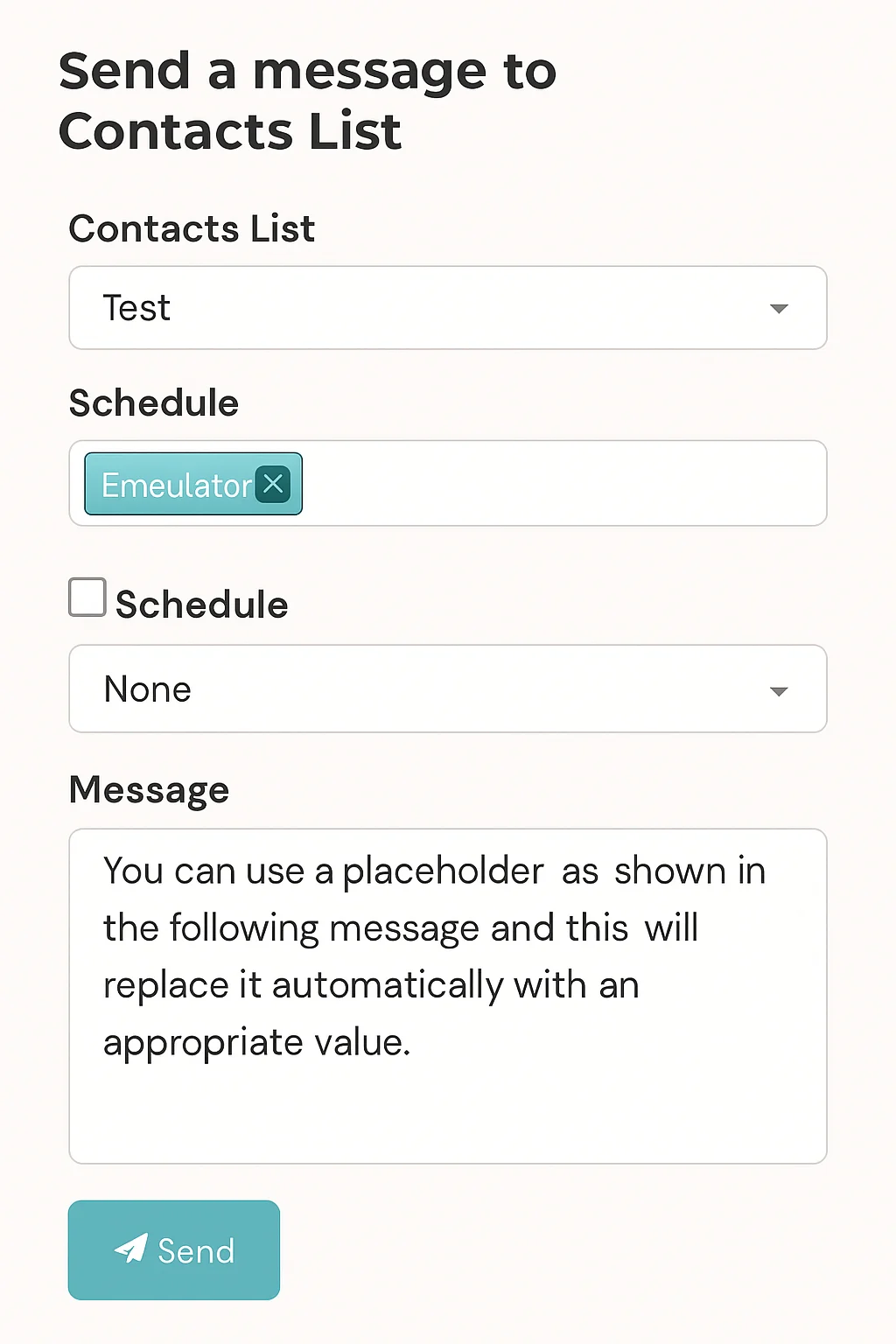
You can create and manage multiple contact lists, adding contacts manually, via API, or by importing an Excel file. Once created, these lists allow you to send SMS or MMS messages directly to your selected contacts. Additionally, you have the option to include an unsubscribe link in your messages, giving recipients the ability to opt out of the list with ease.
Key Features
Discover the powerful features designed to make your messaging experience faster, smarter, and more efficient. From flexible API integration to scheduling, updates, and seamless device sharing.
Any Programming Language
Our API is compatible with any programming language supporting web requests, making it flexible and easy to integrate into your applications or systems.
Sign In with QR Code
Simply scan the QR code from the mobile app to connect your Android device instantly. No manual credential entry is required, ensuring quick setup.
Schedule Messages
Easily schedule SMS or MMS messages to be delivered automatically on your preferred date and time, allowing efficient campaign planning and timely customer communication.
Free Updates
Receive free updates for both minor and major releases, ensuring you always have access to the latest features, performance enhancements, and security improvements.
6 Months Support
Benefit from six months of professional email support, providing guidance, troubleshooting, and technical assistance to help you maximize the effectiveness of your messaging system.
Share Devices
Administrators can share devices with other users, enabling seamless collaboration and eliminating the need for each user to configure their own device individually.
Pricing
| Feature | Notes | Included |
| Self Hosted | Install on your own server | Yes |
| Schedule Messages | Queue & send later | Yes |
| Add Contacts Lists | Segmented contact groups | Yes |
| Web Panel Source Code | Customizable web dashboard | Yes |
| Use Multiple Devices | Connect more than one phone | Yes |
| Add or Remove Users | Team management | Yes |
| Save Message Templates | Reusable message snippets | Yes |
| Send USSD Requests | USSD actions via device | Yes |
| Auto Respond to Messages | Smart auto-reply rules | Yes |
| Send Messages Using Excel | Upload .xlsx/.csv | Yes |
| Send Message to Contacts List | Bulk to saved lists | Yes |
| PayPal Subscription Integration | Recurring billing support | Yes |
| Receive SMS Directly into Email | SMS → Email forwarding | Yes |
| Customize APK Using Build Server | Branding & package name | Yes |
| Use on One Domain or Subdomain | Single-site license | Yes |
| Create Plans & Subscriptions | Define tiers & bill cycles | Yes |
| Price | One-time | Rs. 25,000 |